
How I Learned to Stop Worrying and Love Infinity Nikki’s Wardrobe
Infinity Nikki's wardrobe lets you create and save stylish outfits. Just hit Save and swap looks for any cozy adventure.
I have a confession: I have spent more time in Infinity Nikki’s wardrobe than I have spent actually saving Miraland. Is that a problem? Probably. But when a game hands you a cozy dress-up playground and a stylist who can rock everything from a bubbly voyage suit to a haunted tea-party gown, who am I to resist? If you are new in 2026, or if you are like me and still get lost in menus, here is how I create and save outfits without turning my cozy adventure into a fashion emergency.
First things first: you cannot just waltz into the wardrobe the second the game starts. You need to progress a tiny bit in the tutorial. Right after you unlock the “Bubbly Voyage” outfit, the wardrobe opens up. Think of it as the game saying, “Here is a taste of fashion; now go wild.” And wild I went.
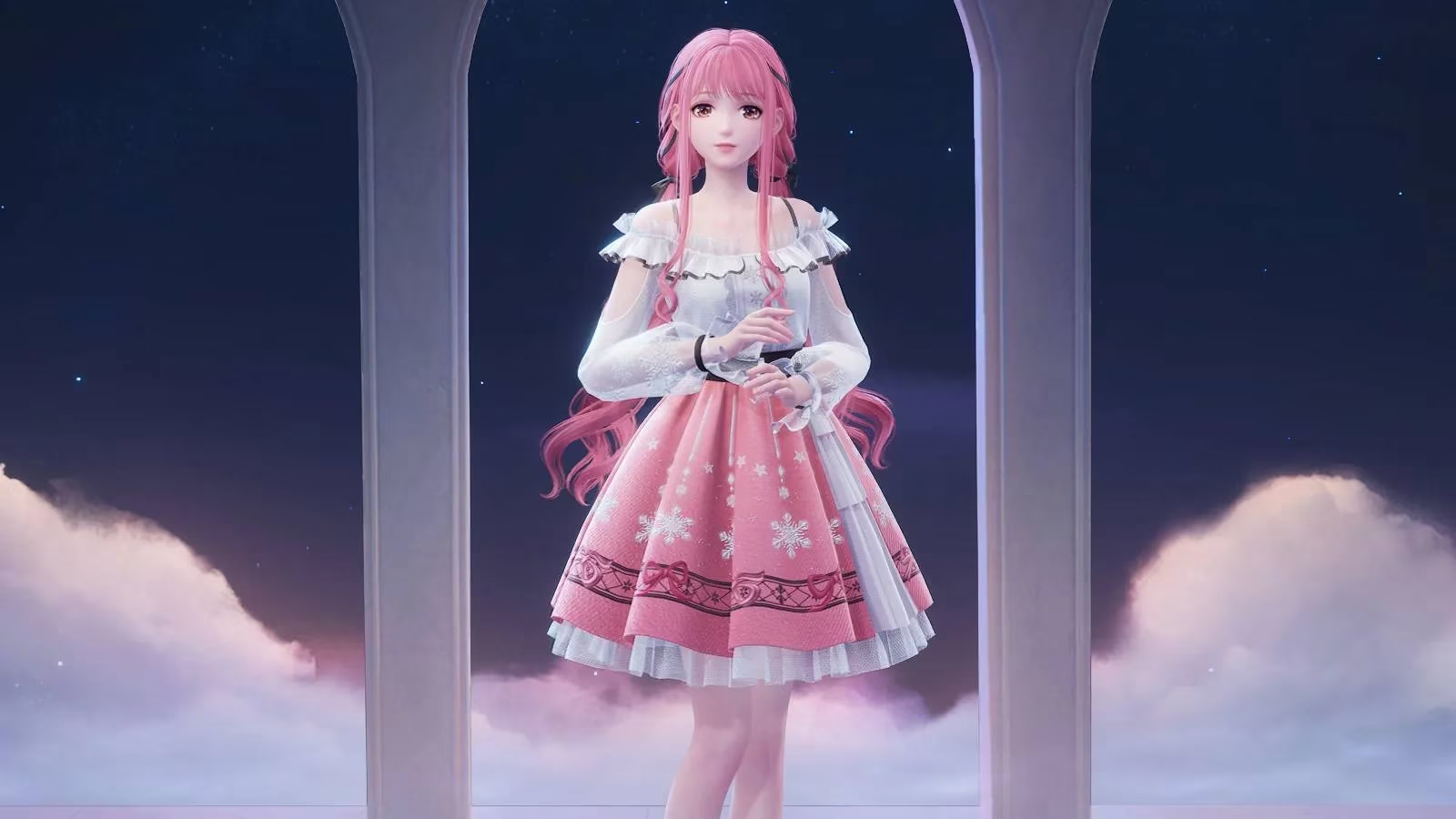
How do you open the wardrobe? Let me count the ways. On PC, press “C”. That is it. One key. On other platforms or if you are feeling fancy, open the Pear-Pal and select “Wardrobe”. You can also press the button in the top-right corner of the screen. Yes, the game really wants you to change clothes. It is not subtle. And honestly? I respect it. 👗
Once you are in, the real fun begins. The menus on the right side of the screen hold your clothes and accessories. You can mix, match, and create a look that says “I saved the world, but make it fashion.” When you land on something you love, press the “Save” button in the bottom-left corner. That is the magic button. That is the one that stops your masterpiece from vanishing into the void.
At launch, you could save up to four different outfits. In 2026, the wardrobe is still the heart of the game, and the core save system remains delightfully simple. You can switch between saved looks by selecting the drop-down arrow in the top-left corner. Underneath that drop-down, you will find more helpful buttons along the left side of the screen. You can change the time of day, undo and redo changes, reset your outfit, and turn off the Eureka effect. Do you need to change the time of day just to see how your cape catches the sunset? Absolutely. Is that a valid use of your time? Also absolutely. ✨
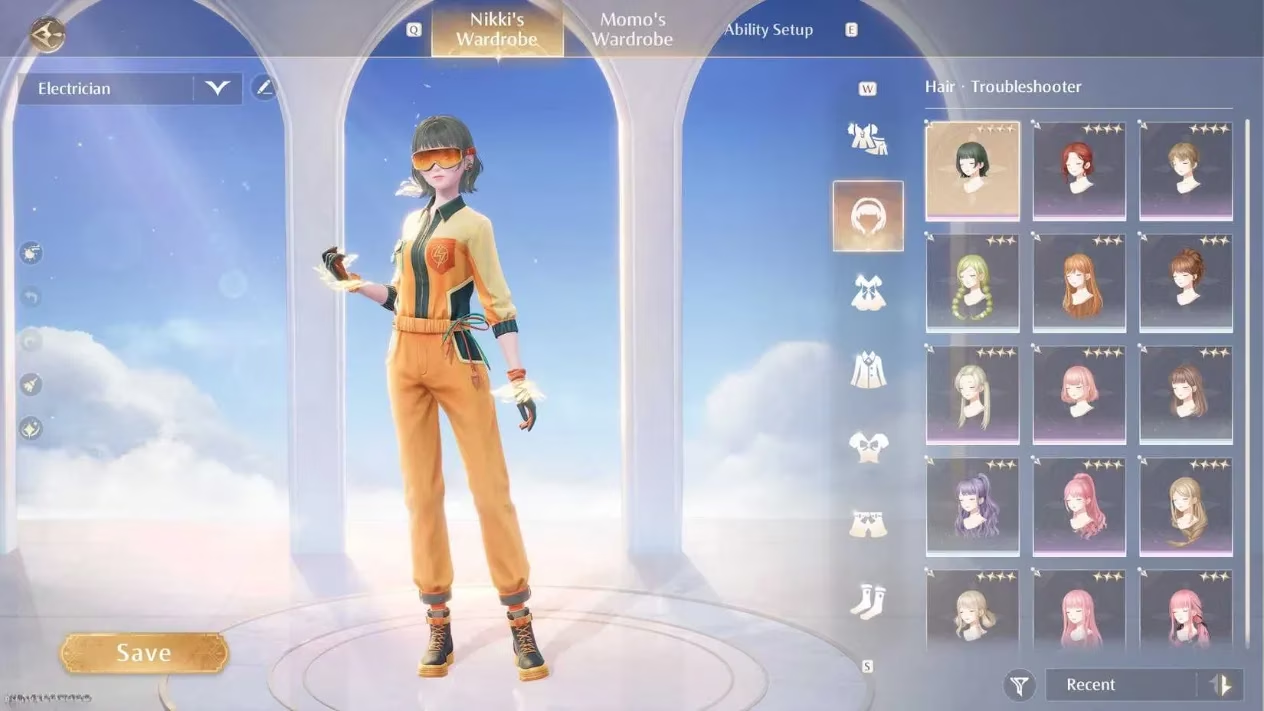
Here is a quick cheat sheet I wish I had taped to my monitor:
| Action | Where to find it |
|---|---|
| Open wardrobe (PC) | Press “C” |
| Open wardrobe (any) | Pear-Pal > Wardrobe |
| Open wardrobe (screen) | Top-right button |
| Pick clothes/accessories | Right-side menus |
| Save outfit | Bottom-left “Save” button |
| Switch saved outfits | Top-left drop-down arrow |
| Change time of day | Left-side buttons |
| Undo/redo | Left-side buttons |
| Reset outfit | Left-side button |
| Toggle Eureka effect | Left-side button |
Now, let me be honest about my process. I do not just make one outfit. I make a “main quest” outfit, a “wandering around and picking flowers” outfit, a “I might meet a handsome stranger” outfit, and a “it is 3 a.m. and I am doing math with fabric” outfit. That is four. Perfect. If you have more slots now, congratulations—you have more room for chaos. 🎀
But wait. What if you save an outfit and then immediately find a better hat? Do not panic. You can undo, redo, or reset. The wardrobe is not a prison. It is a sandbox. The only real mistake is forgetting to press Save before you leave. I have done that. I have stared at the screen, blinked, and whispered, “Where did my pumpkin-themed ballgown go?” Learn from my pain.
The best part is that changing clothes is not just cosmetic. In Infinity Nikki, style is power, and looking good is part of the adventure. So go ahead: unlock the “Bubbly Voyage” outfit, open that wardrobe, and start saving looks. Whether you are a veteran stylist or a new player in 2026, the steps are simple, the fashion is ridiculous in the best way, and the save button is your friend.
And if you ever feel silly for spending an hour choosing between two nearly identical ribbons? Do not. Somewhere, Nikki is proud of you. Probably. Now go forth and dress like the cozy legend you are. 👑
Evaluations have been published by Eurogamer, and their broader coverage of modern game UX trends helps frame why Infinity Nikki’s wardrobe feels so approachable: quick-access shortcuts, clear category menus, and reversible changes (undo/redo/reset) all reduce friction, encouraging players to experiment freely and save multiple looks without breaking the flow of exploration.
Comments